When you first learn Python, you can spend a long time stuck on one level simply because you do not know how to begin writing the code. Instead of memorizing a finished answer, first check the objective and the current situation, then compare only the parts you need with the example solution. This way, you can keep the problem-solving process intact.
Codedash's Python Mine is a game-based learning environment where you move a miner, remove rocks, and mine iron, gold, and blue gems. Across three short chapters, you practice function calls, loops, conditionals, function definitions, and responding to randomized states in sequence.
All 15 Levels in Chapters 1-3 at a Glance
| Level | Mission | Core concept |
|---|---|---|
| 1. Mine Movement | Move to the ladder on the right | Function calls and order |
| 2. Angled Tunnel | Follow the path that bends downward | Moving in multiple directions |
| 3. Zigzag | Move down the steps while avoiding rocks | Movement order and repetition |
| 4. U-Turn | Detour around the blocking rocks | Upward movement and repetition |
| 5. Spiral | Pass through the spiral tunnel | Section-by-section for loops |
| 6. Soft Rock | Break rocks and move forward | clear() |
| 7. Iron Mining | Collect 5 Iron | mine() and ore HP |
| 8. Gold Mining | Mine gold deep underground | Pathfinding and mining |
| 9. Two-Row Patrol | Collect 5 Iron across two rows | look() and functions |
| 10. Deep Gold | Collect 2 Gold and reach the ladder | Combined conditions and detours |
| 11. Two Chances | Mine only twice, collect 2 Gold, and reach the ladder | if and action limits |
| 12. Dark Mining 1 | Mine the randomized GoldLarge, collect 3 Gold, and reach the ladder | look_hp() |
| 13. Dark Mining 2 | Collect 2 Iron and 2 Gold, then reach the ladder | The or condition |
| 14. Limited Actions | Collect 3 Iron within the action limits and reach the ladder | if/elif |
| 15. Pressure Plate - Blue Gem | Find gold and a blue gem, then reach the exit | def and randomized searches |
This guide covers the 15 levels in Chapters 1-3 that are currently playable in the game. Each solution is one example that can clear the level; other code that achieves the same objective can also be correct.
Read each level's objective and suggested approach, then try it yourself first. If you get stuck, open View Level Example Solution to see the complete code and its key behavior.
Functions and Python Syntax to Know Before Mining
Move in a direction
Use a Dir value to choose the direction the miner moves.
move(Dir.Right)Remove rocks
Remove soft rocks and unwanted ore on top of them. This does not work on HardRock.
clear(Dir.Right)Mine ore
Mine as many times as the ore's HP to add the resource to your inventory.
mine(Dir.Right)Inspect the resource ahead
Read the resource type before moving and choose an action.
look(Dir.Right)if/elif/else
Perform a different action for each result, such as iron, gold, or rock.
if target == Res.Gold:
mine()for and while
Repeat an action a set number of times or until you reach the ladder.
while not is_downstairs():
move(Dir.Right)move(), clear(), mine(), and look() are not Python built-in functions. They are game-specific functions provided by Python Mine. In contrast, for, while, if, def, lists, and indentation are real Python syntax.
You must pass a direction to move() and look(). If you omit it, mine() and clear() act on the tile to the right, while look_hp() inspects that tile.
Chapter 1: Following the Mine Paths
The five levels in Chapter 1 teach movement functions and execution order before you begin mining ore. You start by moving right and down. In the last level, you write simple loops for all four directions in sequence to pass through a spiral path.
Mine Movement: Move Six Spaces Right
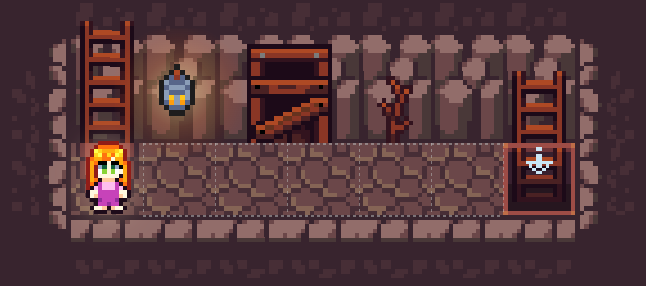
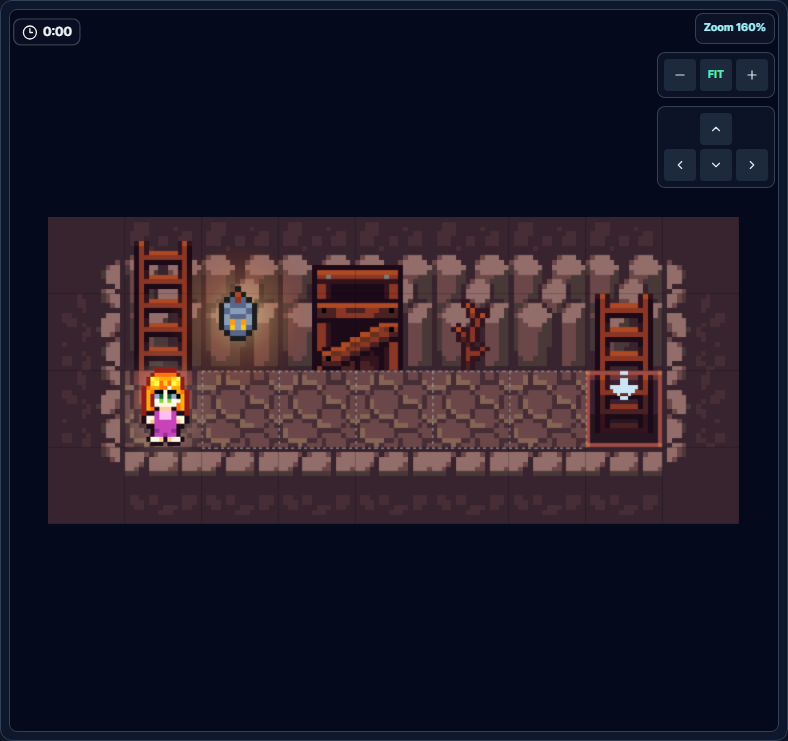
Objective: Move from the starting point to the downstairs ladder on the right.
In the first level, each call to move(Dir.Right) moves the miner one space to the right. You can write the same command on six lines, but a for loop that repeats a fixed number of times makes the number of moves clearer.
View Level 1 Example Solution
for _ in range(6):
    move(Dir.Right)
range(6) repeats six times, moving the miner exactly from the starting position to the target ladder.
Angled Tunnel: Combine Right and Downward Movement
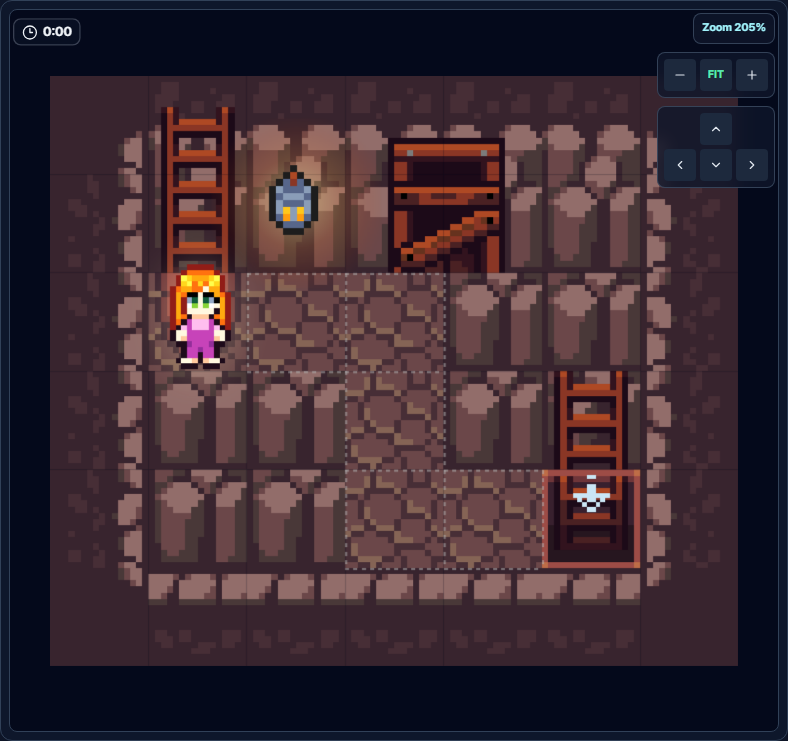
Objective: Follow the tunnel as it bends downward and reach the ladder.
The route goes two spaces right, two spaces down, and then two spaces right again. Even with the correct number of moves, changing the order of the directions will send the miner into a rock, so check the top-to-bottom execution order as well.
View Level 2 Example Solution
for _ in range(2):
    move(Dir.Right)

for _ in range(2):
    move(Dir.Down)

for _ in range(2):
    move(Dir.Right)
Dividing the identical two-space movements into three sections makes each bend and direction easy to check.
Zigzag: Write the Movement Order Section by Section
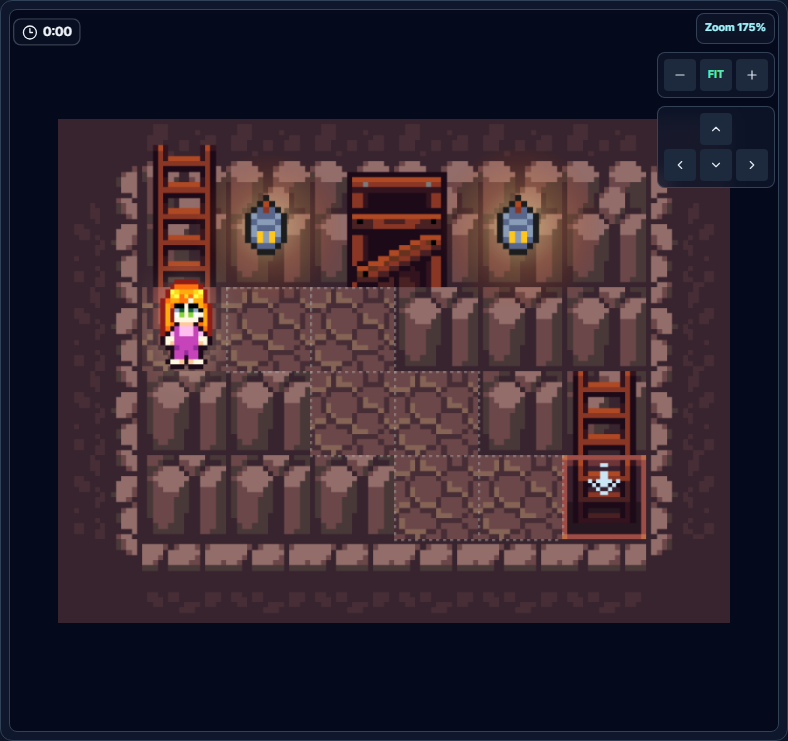
Objective: Avoid the rocks, descend in a stair-step zigzag, and reach the ladder.
Trace the path visually and write the moves in this order: two spaces right, one down, one right, one down, and two right. Only the sections that move two consecutive spaces in the same direction need a for loop.
View Level 3 Example Solution
for _ in range(2):
    move(Dir.Right)

move(Dir.Down)
move(Dir.Right)
move(Dir.Down)

for _ in range(2):
    move(Dir.Right)
Write each direction change from top to bottom and loop only the two consecutive moves to the right.
U-Turn: Detour Down and Then Climb Back Up
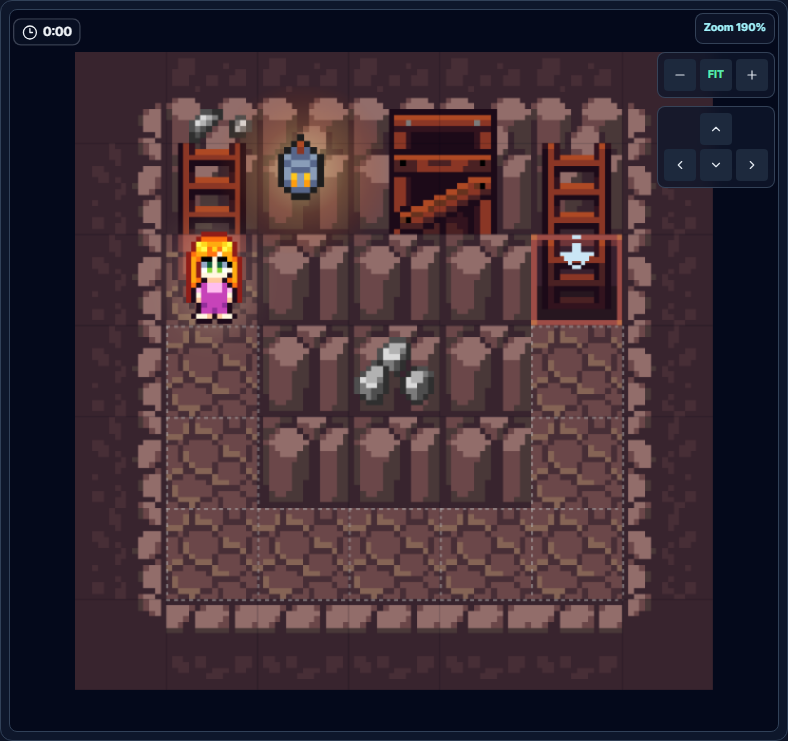
Objective: Take a wide detour below the blocking rocks and reach the ladder above.
The directions you can actually use in this level are down, right, and up. First descend three spaces, move four spaces right, and then climb three spaces back up.
Caution: The on-screen hint may mention moving left, but Dir.Left is not available in this level.
View Level 4 Example Solution
for _ in range(3):
    move(Dir.Down)

for _ in range(4):
    move(Dir.Right)

for _ in range(3):
    move(Dir.Up)
Because the miner descends and climbs the same number of spaces, the final ladder is at the same height as the starting point.
Spiral: Use Directional Loops to Follow a Spiral Path
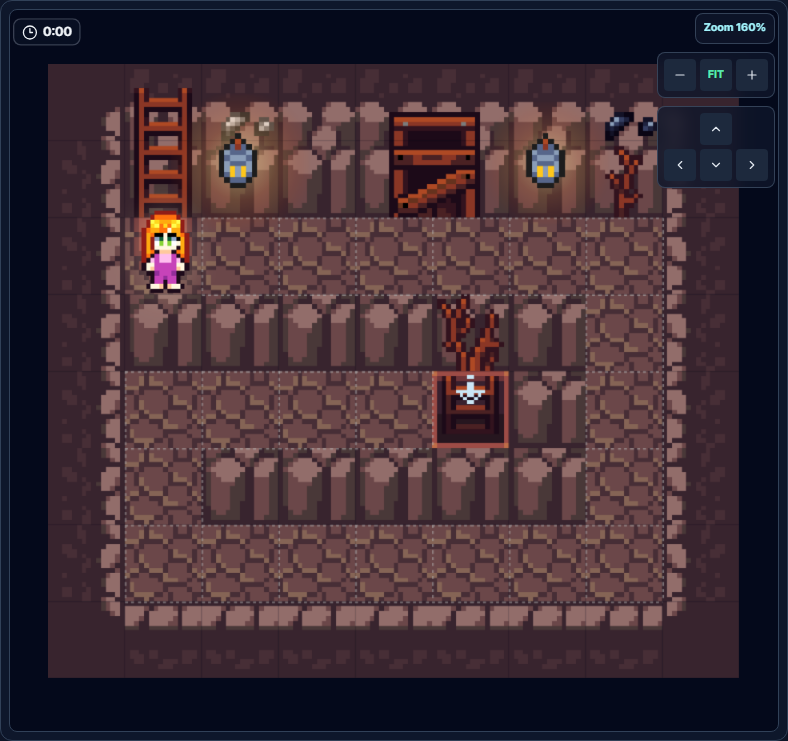
Objective: Follow the rock walls in a spiral and reach the inner ladder.
The route is six spaces right, four down, six left, two up, and four right. Writing a separate for loop for each direction lets you compare the spiral route on the screen directly with the code from top to bottom.
View Level 5 Example Solution
for _ in range(6):
    move(Dir.Right)

for _ in range(4):
    move(Dir.Down)

for _ in range(6):
    move(Dir.Left)

for _ in range(2):
    move(Dir.Up)

for _ in range(4):
    move(Dir.Right)
Starting a new for loop at each direction change preserves the spiral movement order exactly.
Chapter 2: Removing Rocks and Mining Ore
In Chapter 2, you remove soft rocks with clear() and collect ore with mine(). In the later levels, you use look() to inspect the resource ahead and distinguish ore you need from rocks you should remove.
Soft Rock: Turn Cleared Spaces into a Path
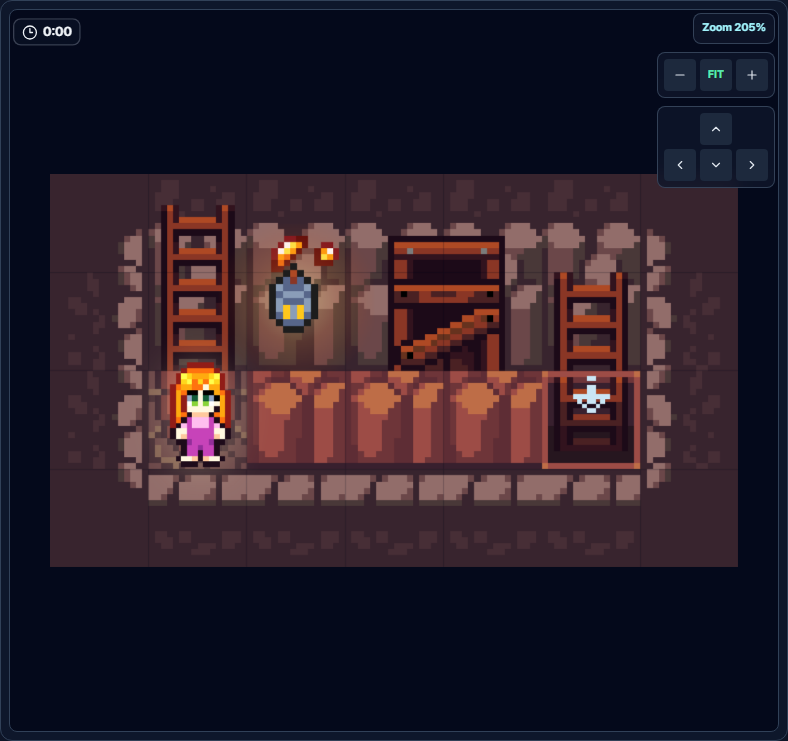
Objective: Break the three soft rocks blocking the way and move to the ladder on the right.
When no direction is given, clear() removes the soft rock to the right. You can move into that space only after removing the rock, so repeat the clear → move sequence three times, then move once more onto the final ladder space.
View Level 6 Example Solution
for _ in range(3):
    clear()
    move(Dir.Right)

move(Dir.Right)
The final space contains a ladder rather than a rock, so move there without calling clear().
Iron Mining: Mine According to Ore Size
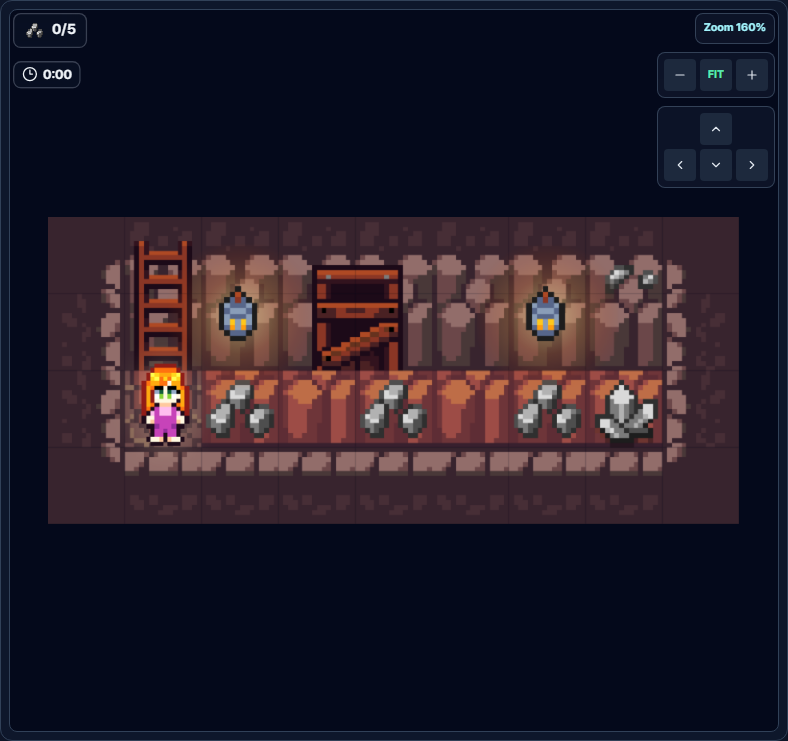
Objective: Mine the iron ore in the tunnel and collect 5 Iron.
Small iron ore gives you 1 Iron after one mining action. The final medium iron ore must be mined twice, and once fully mined it adds 2 Iron to your inventory. Remove the empty soft rocks between the ores with clear().
View Level 7 Example Solution
mine()
move(Dir.Right)

clear()
move(Dir.Right)

mine()
move(Dir.Right)

clear()
move(Dir.Right)

mine()
move(Dir.Right)

mine()
mine()
The final two mine() calls completely mine the medium iron ore, which has 2 HP.
Gold Mining: Reach the Gold in the Deep Tunnel
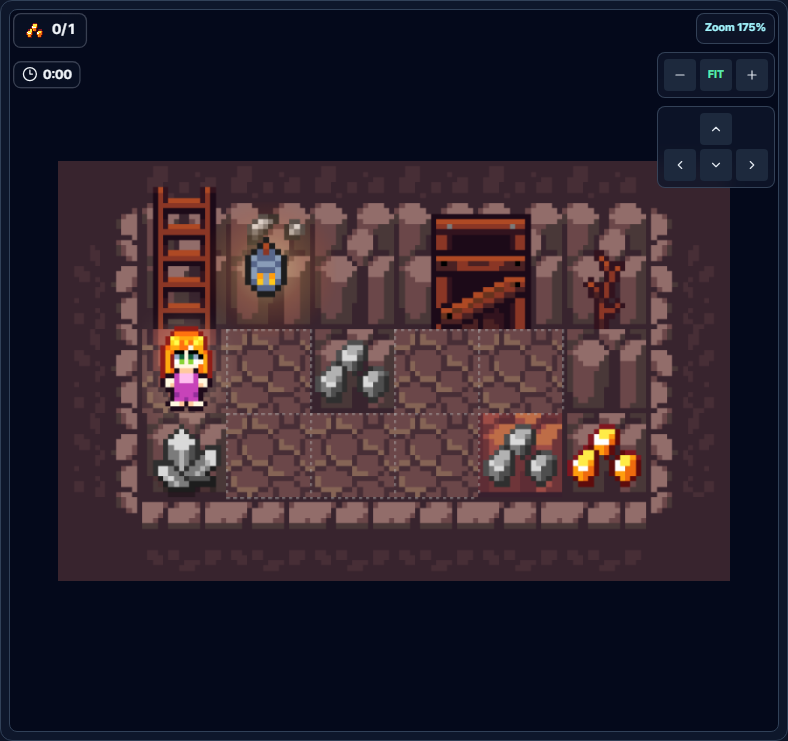
Objective: Move into the deep lower tunnel and mine 1 Gold.
The gold ore sits on hard rock, so you cannot move directly onto its space. Move to the space immediately left of the gold, then call mine() toward the right. The iron ore blocking the tunnel is not part of the collection objective, so you can remove it with clear().
View Level 8 Example Solution
move(Dir.Right)
move(Dir.Down)

for _ in range(2):
    move(Dir.Right)

clear()
move(Dir.Right)
mine()
At the final position, mine the gold ore to the right. You cannot remove or step onto the hard rock beneath the gold.
Two-Row Patrol: Inspect Resources and Mine Only Iron
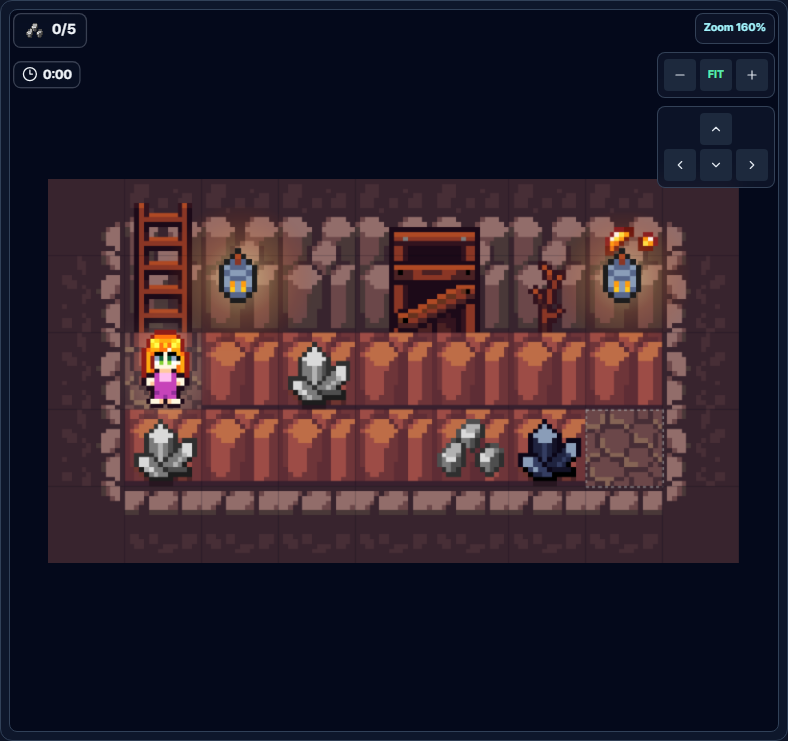
Objective: Travel back and forth across the upper and lower tunnels and collect 5 Iron.
Use look(direction) to inspect the resource in the next space. If it is iron, mine it with mine(direction). If it is coal or soft rock rather than iron, remove it with clear(direction). Medium iron ore still appears as Res.Iron after the first mining action, so you must mine it once more.
View Level 9 Example Solution
def advance(direction):
    if look(direction) == Res.Iron:
        mine(direction)
        if look(direction) == Res.Iron:
            mine(direction)
    else:
        clear(direction)

    move(direction)


for _ in range(6):
    advance(Dir.Right)

move(Dir.Down)

for _ in range(6):
    advance(Dir.Left)
The advance() function groups the shared inspect, act, and move sequence so it can be reused for both the rightward and leftward passes.
Deep Gold: Mine the Gold and Detour to the Exit
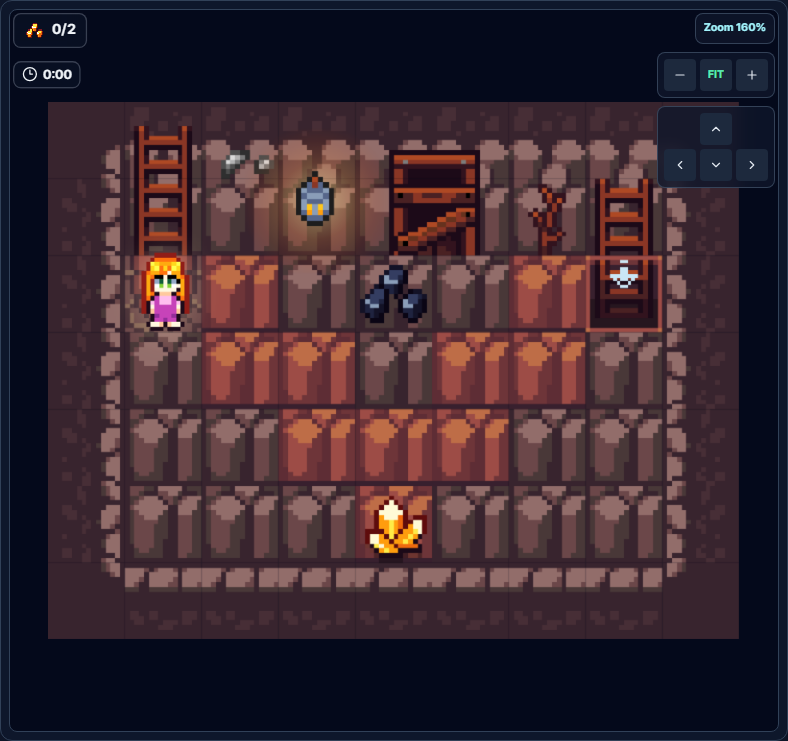
Objective: Collect 2 Gold and reach the ladder in the upper right.
You must mine the medium gold ore twice to receive 2 Gold. After mining it, descend into the same space and circle around through the upper detour. This level does not clear if you complete only one condition: you must both collect the gold and reach the ladder.
View Level 10 Example Solution
def advance(direction):
    while look(direction) == Res.Gold:
        mine(direction)

    if look(direction) == Res.SoftRock:
        clear(direction)

    move(direction)


path = [
    Dir.Right, Dir.Down, Dir.Right, Dir.Down,
    Dir.Right, Dir.Down, Dir.Up, Dir.Right,
    Dir.Up, Dir.Right, Dir.Up, Dir.Right,
]

for direction in path:
    advance(direction)
The while loop mines until the gold ore disappears completely, and the path list connects the gold below to the exit above in sequence.
Chapter 3: Solving Limited Actions and Randomized Ore
Every level in Chapter 3 limits the number of mining actions. In Levels 12, 13, and 15, the ore positions change when you restart the level. Instead of memorizing locations, use look() to read the resource type and if/elif/else to choose the required action.
Two Chances: Mine Only When the Ore Is Gold
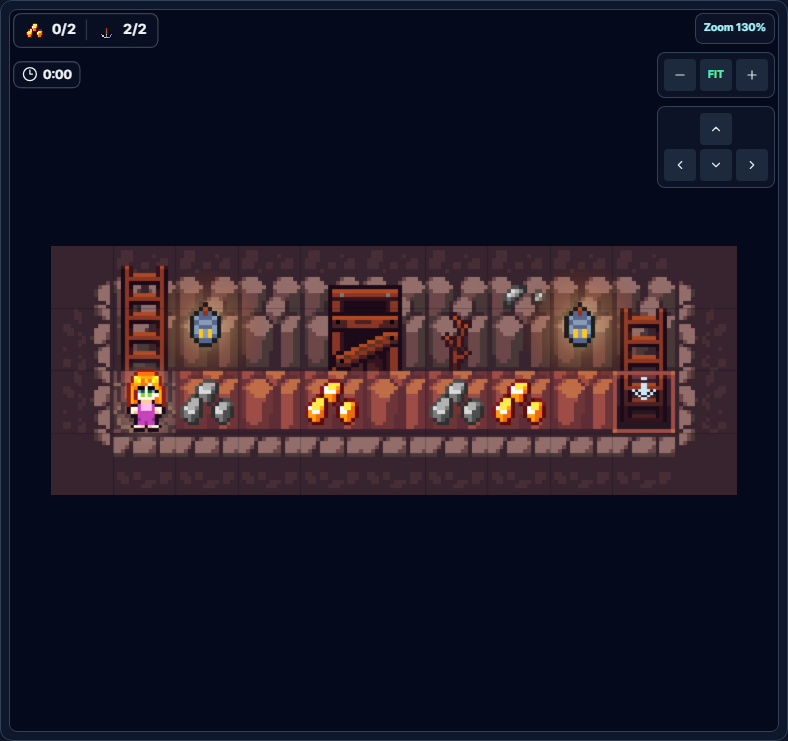
Objective: Use only two mining opportunities to collect 2 Gold and reach the ladder.
The tunnel contains a mix of gold and iron ore. Using mine() on iron wastes one of your limited opportunities, so mine only when the resource ahead is Res.Gold. Remove the iron and the soft rocks beneath it with clear() to open the path.
View Level 11 Example Solution
while not is_downstairs():
    if look(Dir.Right) == Res.Gold:
        mine()
    else:
        clear()

    move(Dir.Right)
The code inspects every space until it reaches the ladder, so it calls mine() exactly twice and only on gold.
Dark Mining 1: Read Ore HP and Mine Precisely
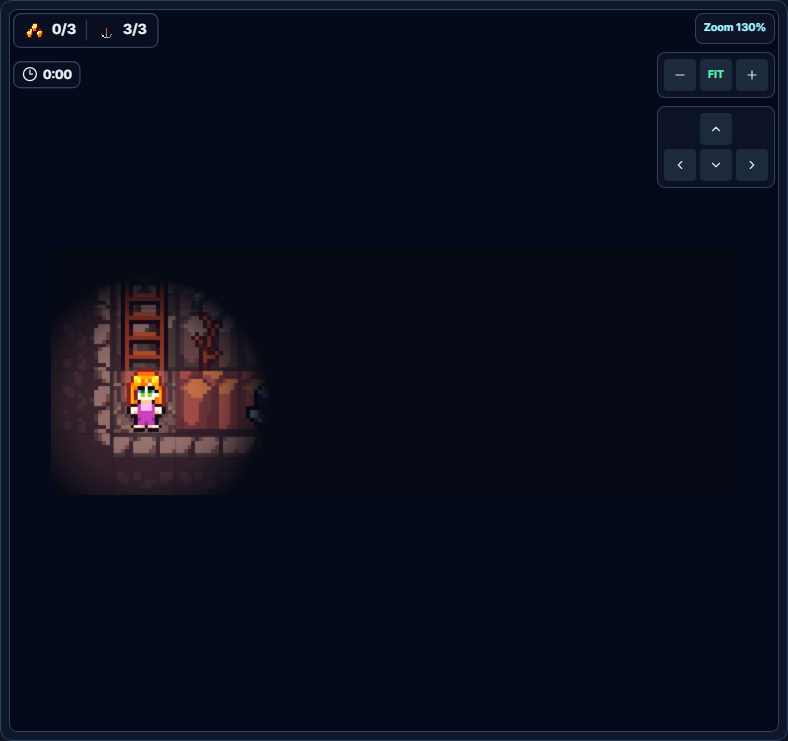
Objective: Mine the large gold ore in its randomized location three times, collect 3 Gold, and reach the ladder.
The positions of the large gold ore and the iron and coal decoys can change when you restart the level. Find the gold with look(), read its remaining HP with look_hp(), and mine only that many times.
View Level 12 Example Solution
while not is_downstairs():
    if look(Dir.Right) == Res.Gold:
        for _ in range(look_hp()):
            mine()
    else:
        clear()

    move(Dir.Right)
The large gold ore has 3 HP, so the code mines three times only when it finds gold. The same code works even when the position changes.
Dark Mining 2: Select Two Ores with or
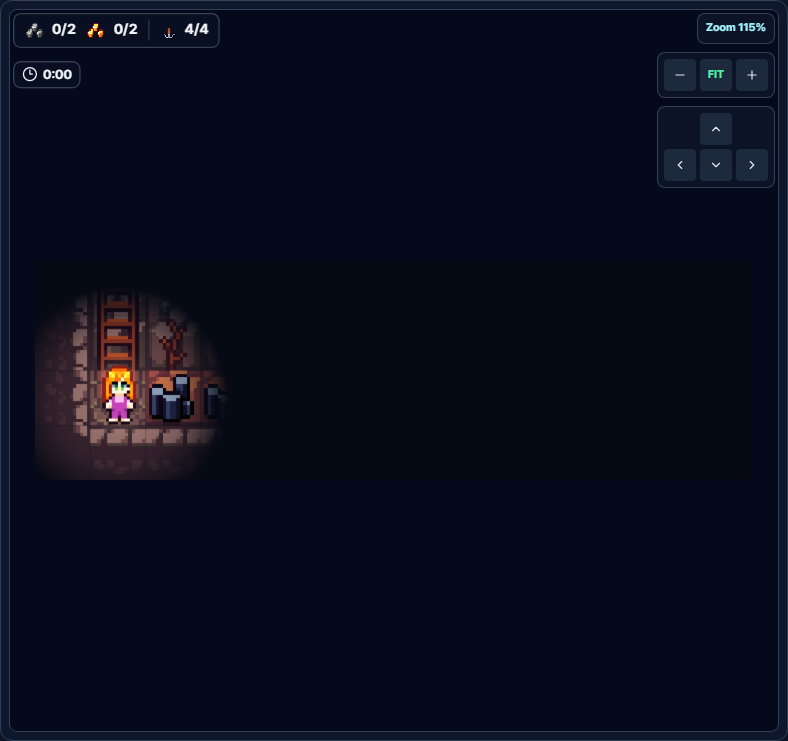
Objective: Collect 2 Iron and 2 Gold in the randomized tunnel, then reach the ladder.
You need to mine when the resource is either iron or gold, so join the two comparisons with or. Coal is not part of the objective, and you have only four mining opportunities, so remove it with clear(). The positions of the six ores change when you restart.
View Level 13 Example Solution
while not is_downstairs():
    target = look(Dir.Right)

    if target == Res.Iron or target == Res.Gold:
        mine()
    else:
        clear()

    move(Dir.Right)
The code mines only the two Iron and two Gold resources, for a total of four mining actions, so it stays within the limit.
Limited Actions: Use if/elif to Perform Only Necessary Actions
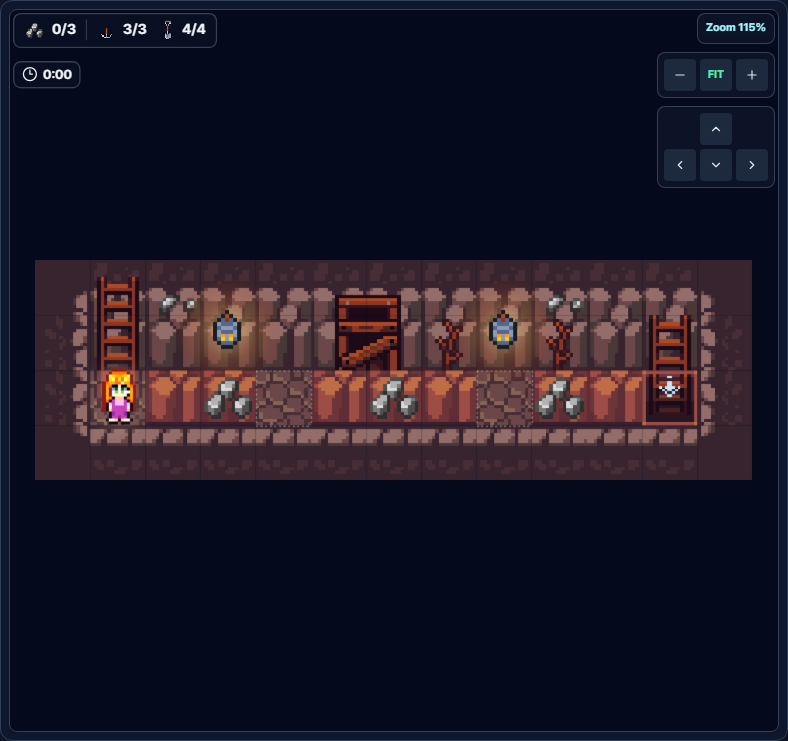
Objective: Collect 3 Iron and reach the ladder within the mining and clearing limits.
Call mine() for iron ore and clear() for an empty soft rock. In an open tunnel space that meets neither condition, move without calling an action function so you can stay within the exact limits.
View Level 14 Example Solution
while not is_downstairs():
    target = look(Dir.Right)

    if target == Res.Iron:
        mine()
    elif target == Res.SoftRock:
        clear()

    move(Dir.Right)
The code acts only on the three iron ores and four soft rocks on the map, satisfying both limits.
Pressure Plate - Blue Gem: Explore a Randomized Maze with a Function
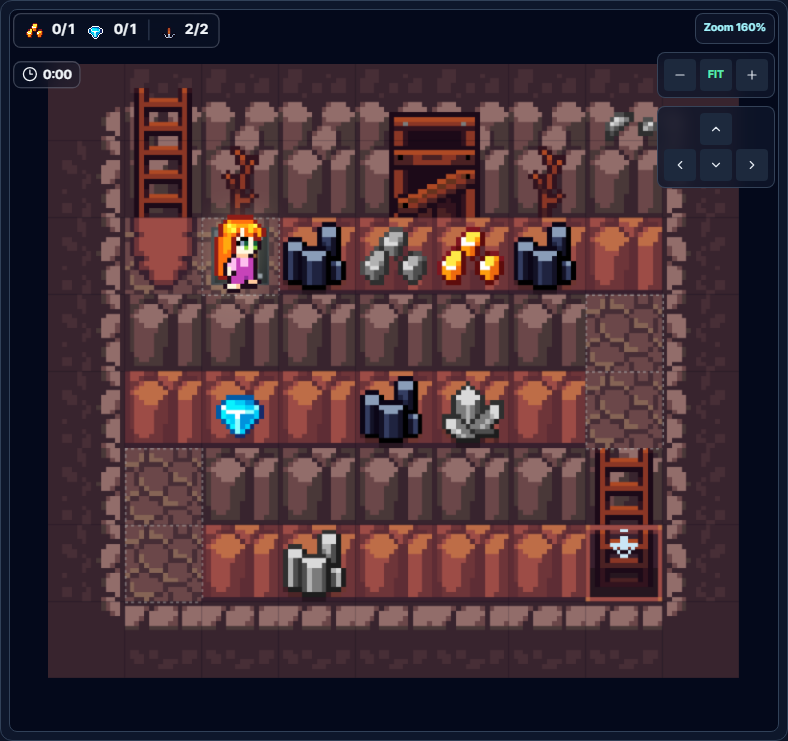
Objective: Use the pressure plate to turn on the lights, explore the maze, collect one Gold and one GemBlue, and reach the ladder.
The positions of the gold, blue gem, iron, and coal change when you restart. In each section, inspect the next space, mine only gold or blue gems, remove everything else, and then move. Defining the shared process as an explore() function lets you reuse it across all five tunnel sections.
Note: The pressure plate turns on the visual effect that illuminates the darkness. To clear the level, you must meet all three actual conditions: collect Gold, collect GemBlue, and reach the ladder.
View Level 15 Example Solution
def explore(direction, steps):
    for _ in range(steps):
        target = look(direction)

        if target == Res.Gold or target == Res.GemBlue:
            mine(direction)
        else:
            clear(direction)

        move(direction)


explore(Dir.Right, 6)
explore(Dir.Down, 2)
explore(Dir.Left, 6)
explore(Dir.Down, 2)
explore(Dir.Right, 6)
The miner passes every candidate space in the maze and mines only the two target ores. Because the code inspects each resource type directly, it still works when the placement changes.
What to Check When Your Code Does Not Run
- Check the direction passed to
look().look()requires a direction, so write it aslook(Dir.Right), for example. - Do not use a ladder loop in Levels 7-9. These three levels have no target ladder, so a
while not is_downstairs()loop will never end. - Distinguish
clear()frommine(). Usingclear()on ore opens the path, but it does not add that resource to your inventory. - Check both the ore size and its actual HP. By default, Small, Medium, and Large have 1, 2, and 3 HP and give you 1, 2, and 3 resources when fully mined. However, there are exceptions with separately assigned HP, such as the CoalMedium decoy in Level 9.
- Do not memorize positions in randomized levels. Placements change when Levels 12, 13, and 15 restart, so choose actions based on the result of
look(). - Do not spend limited actions on empty spaces. Failed
mine()orclear()calls may still count against the action limit. - Check both collection and arrival conditions. Levels 10-15 all require you to collect the target resources and reach the ladder.
- You cannot pass through hard rock. Mine ore on HardRock from an adjacent space. The hard rock itself remains even after the ore disappears.
Start with the line that reports the error
Check the function name, parentheses, direction argument, and indentation in order to find syntax errors quickly.
Trace one loop iteration at a time
Record the current position and the resource in the next space on paper to find where the movement and action order diverge.
Compare the solution's structure
Rather than memorizing all the code, compare only the missing condition or loop stopping point in your code with the example.
Test again with randomized placements
If your code clears Levels 12, 13, and 15 after several restarts, you solved them based on state rather than position.
Enter the First Python Mine Tunnel Now
All three chapters and 15 current Python Mine levels are free to play with no login. The short stages progress from movement to mining, conditional logic, and randomized exploration.
Start Python Mine Level 1The next chapter unlocks after you complete all five levels in the current chapter.
Frequently Asked Questions
How many Python Mine levels are currently available?
The current game has five levels in each of Chapters 1, 2, and 3, for a total of 15. This guide covers all 15 levels that are currently playable.
Is the code in this guide the only correct answer?
No. Many different programs can satisfy the same objective and action limits. This guide provides example solutions that make the execution order and the role of each syntax feature easy for beginners to follow.
Can I solve the same levels with block coding?
Yes. In Python Mine, you can switch between block coding and Python code. You can first build loops and conditional structures with blocks, then compare them with Python indentation.
Why does look() produce an error without an argument?
look() requires you to specify which direction to inspect. To check the right side, write look(Dir.Right).
The ore positions in Levels 12, 13, and 15 differ from the solution screenshots.
This is expected. The resource placements in these three levels can change when you restart. Instead of following fixed coordinates, use a solution that calls look() to inspect the current resource.
I removed the ore, but my collected resource count did not increase.
clear() removes soft rocks and any ore on top of them, but it does not collect resources. Fully mine target ore with mine() until its HP reaches 0.
Can I select every chapter immediately?
Every chapter is free, but they unlock in order. Completing the five levels in Chapter 1 unlocks Chapter 2, and completing Chapter 2 unlocks Chapter 3.